
Christina Evangelin Ebinezer
Marketing Associate



We’re bringing you the SFA product updates for this month. To increase field coordination, fortify on-ground validation, and give greater control during regular market operations, our team has implemented a number of improvements. The goal of every update is to give your field teams the tools they need to work more accurately, confidently, and efficiently at every outlet.
Here’s a quick overview of what’s new in this release:
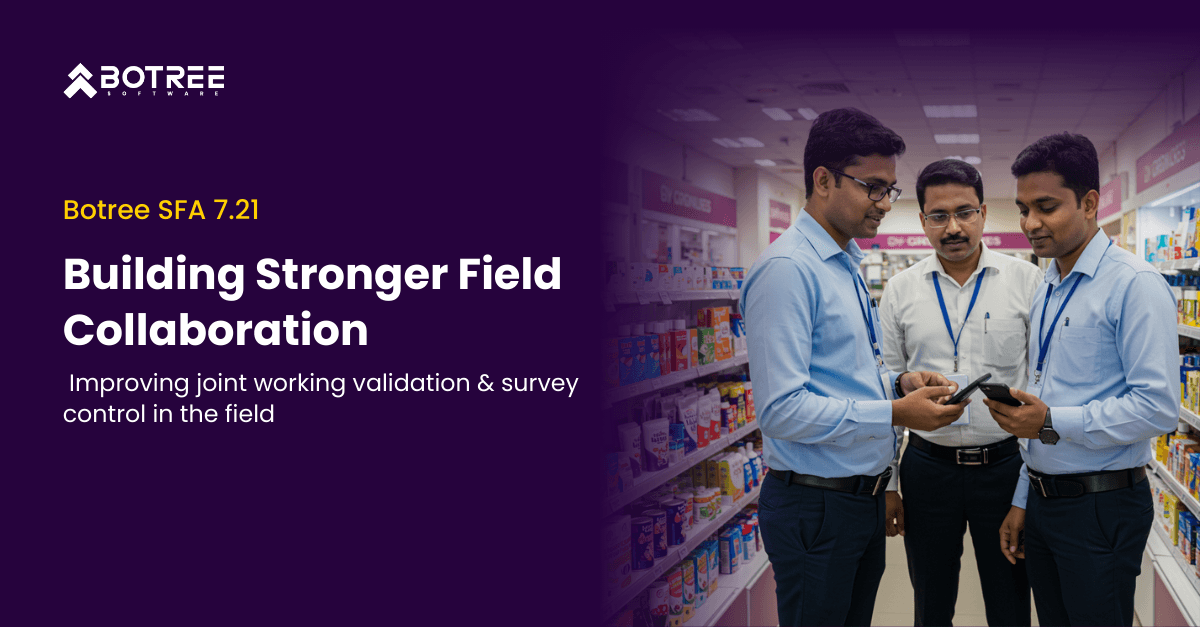
We have enhanced the Joint Visit flow to ensure better alignment between Salesmen and Supervisors during market working. These improvements bring stronger validation, clearer approval controls, and more reliable data capture—making joint field activities more transparent and effective.
Salesmen can now tag Supervisors for joint visits, capture a selfie with metadata, and send it for approval directly within the SFA app. All approval decisions are validated through geo-fencing, ensuring both users are within the outlet vicinity. Supervisors receive real-time notifications, can approve or reject requests with remarks, and are prompted at configured intervals to reconfirm joint working during the visit. Auto-rejection rules are also built in to handle pending requests within a defined time window or by end of day.
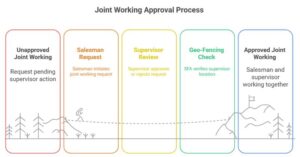
All joint working details—including request timestamps, approval status, user details, location coordinates, and remarks—are now integrated into RNA reporting, ensuring complete visibility. Additional reporting updates include new fields for working type (joint/single), joint working hierarchy level, and tagged user details.
This enhancement ensures both the Salesman and Supervisor are actively present in the field and within the outlet premises, strengthening accountability and improving the accuracy of joint visit reporting.
We have introduced a new configuration that gives businesses full control over who can view and answer outlet-level surveys during market visits. Previously, surveys created at the outlet level were visible only to DSRs and MDSRs. With this update, you can now decide whether surveys should be accessible to Supervisors, Salesmen, or both, based on your operational needs.
A new multi-select configuration—Outlet Level Survey Visibility—allows you to enable survey access for either user type. When a user visits an outlet, the SFA app checks this configuration and displays the survey option only for the selected roles. All responses captured through this feature seamlessly flow into RNA survey reports with key identifiers, including User Code, Username, and User Type, ensuring full clarity on who completed the survey.
This enhancement offers greater flexibility and control over survey execution in the field, while ensuring that all captured data is accurately tagged and reflected in RNA reports for better analysis.
Our goal with each release is to empower your field teams to operate more effectively, confidently, and with greater clarity. The purpose of these updates is to increase visibility, enhance data accuracy, and make the field experience more seamless for all users. More significant improvements are already underway to help you improve your entire SFA journey, expedite execution, and boost performance. And this is only the beginning. Stay tuned for more powerful updates in the coming releases.

Marketing Associate
Meet Christina Evangelin Ebinezer, our dynamic marketing associate at Botree Software. With a background in HR and marketing, and prior experience as a content writer, Christina brings a sharp eye for storytelling and a knack for crafting engaging blogs and marketing content. She’s passionate about turning ideas into words that drive impact. Outside of work, Christina finds joy behind the piano keys or the wheel—whether she’s playing a soulful tune or cruising down open roads.



Stay updated with the latest trends and insights.