
Hello Bar -01

Turn insights into field execution with Botree AI

Product Update

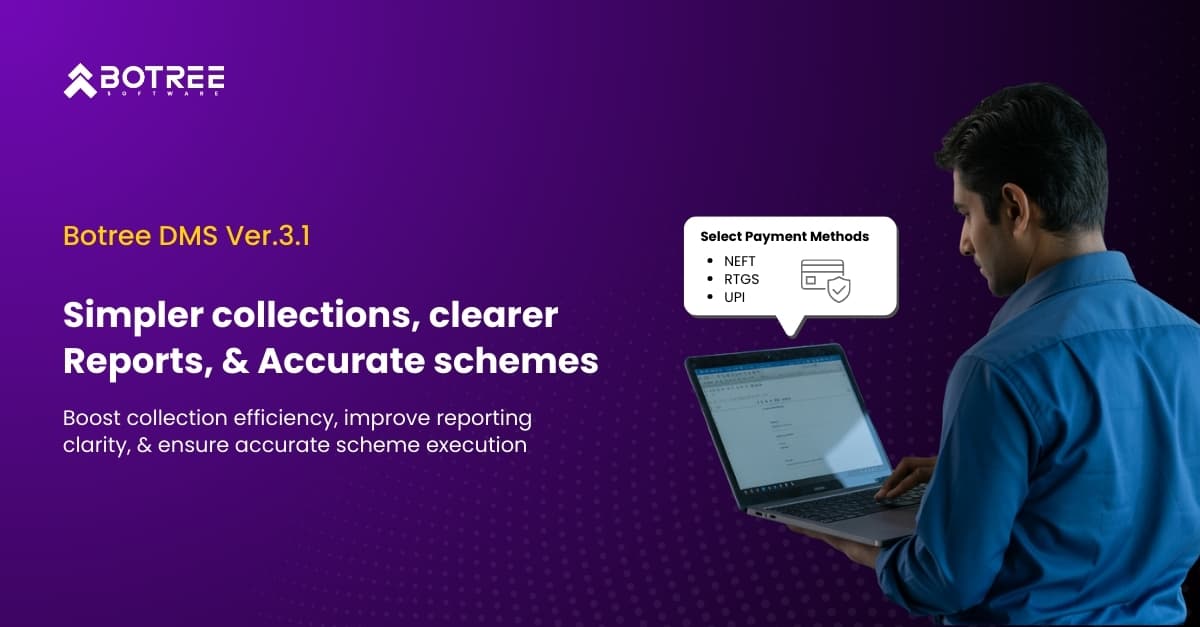
Simpler Collections, Clearer Reports, and Accurate Schemes in Botree DMS 3.1

Simpler Collections, Clearer Reports, and Accurate Schemes in Botree DMS 3.1
Christina Evangelin

Christina Evangelin Ebinezer

Marketing Associate
Share:FacebookX (Twitter)LinkedInWhatsApp

Every day, sales teams track collections, finance teams match payments, and leaders depend on reports and plans to make decisions. When collection entries are limited, reports can be unclear, or plans may become misaligned, the outcome is delayed cash flow, manual follow-ups, and unreliable data.

Botree DMS 3.1 aims to address these issues at the source. This release improves how collections are recorded, highlights important information in reports, and keeps plans accurate as distributor locations change.

What’s new in this release:

  1. Introducing more payment modes in Collections
  2. Conditional Formatting in Reports
  3. Geography-based scheme updates

Let’s explore how these updates make operations simpler and enhance control for sales and finance teams.

#1: Introducing more payment modes in Collections

Previously, the collection process only allowed cheque and DD payments. Customers increasingly turned to digital payment options, but users relied on preloaded bank details from dropdowns. They had no way to fix missing or incorrect information. This caused issues like wrong bank mapping, incomplete transaction details, mismatches in reconciliation, and delays in cash visibility.

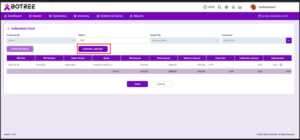
To fix these problems, the Fast Collection screen was improved in Botree DMS 3.1 to give better flexibility, accuracy, and control during collection entry.

What’s changed
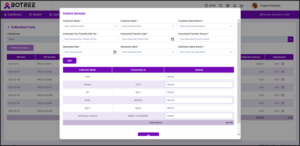
  • Added support for more payment methods, including NEFT, RTGS, and UPI, with specific fields for transaction and deposit details.


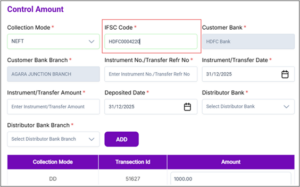
  • Enabled automatic fetching of customer bank and branch details based on the IFSC code for NEFT and RTGS. Now, you just need to enter the IFSC code to fetch the bank details

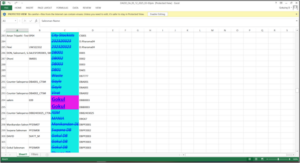
*Here, the user has entered the IFSC code & the customer bank & branch names have been auto populated.
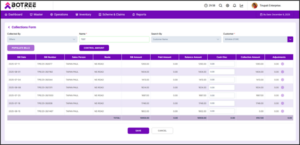


Validations:

  • Prevents collection amounts that exceed the invoice outstanding.
  • Ensures that the adjusted amount does not surpass the balance amount.
  • Simplified the workflow with one customer, one salesperson, a single payment method, prevention of over-collection, and support for SFA imports.

 Benefits:

  • Faster and more accurate collection entry.
  • Better visibility into bank deposits and payment details.
  • Reduced effort in reconciliation and fewer manual corrections.
  • Support for modern payment methods across SFA, DMS, and RNA.

#2: Conditional Formatting in Reports

Earlier, the RNA Report Builder did not support conditional formatting. Reports displayed raw data only, making it hard to quickly identify exceptions, priority values, or trends. Users had to manually scan reports, which increased analysis time and the risk of missing important information.

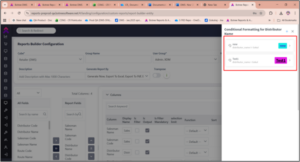
To fix this, we introduced conditional formatting in the RNA Report Builder. This feature allows users to visually highlight important data points.

What’s changed
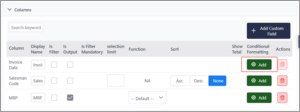
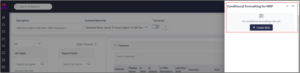
  • Added a conditional formatting option for each output column in the Report Builder

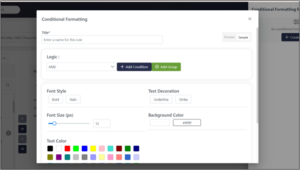
  • Enabled rule creation through a dedicated side panel

  • Supported formatting options including font size, background color, text color, bold, italic, underline, and strike

  • Enabled value-based conditions such as greater than, less than, equal to, not equal to, IN, and NOT IN
  • Allowed multiple formatting rules per column

Validations

  • Limited conditional rules to 4 or 5 per column
  • Applied rule priority when a value meets multiple conditions
  • Restricted duplicate conditions when AND logic is used
  • Enforced unique rule names

Benefits

  • Faster identification of exceptions and key values
  • Reduced manual effort in report analysis
  • Improved report readability for business and finance teams
  • Quicker decision-making using visual cues

#3: Geography-based scheme updates

Distributor geography changes require a realignment of schemes to ensure correct eligibility and budget usage. When this process relies on manual service requests, delays and inconsistencies can happen. As a result, schemes from the old geography may remain active while applicable schemes for the new geography could be overlooked.

To solve this issue, we automated scheme updates during distributor geo migration. This ensures that scheme mapping stays accurate and up to date.

What’s changed 
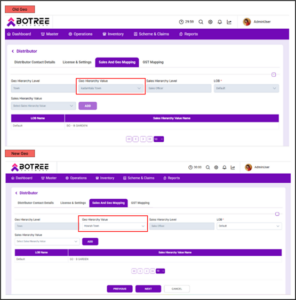
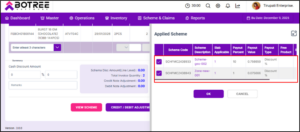
  • Automatically removes schemes linked to the old geography when a distributor is migrated

  • Automatically adds schemes that apply to the new geography, including district and lower geo hierarchy schemes

  • Reapplies schemes from the previous geography if the distributor is moved back

Limitations 

  • Distributor ETL supports only the creation of new distributors and does not allow changes to existing distributor records

Benefits 

  • Correct scheme eligibility after geography changes
  • Less manual effort and removal of dependency on service requests
  • Faster distributor geo migration
  • Improved scheme compliance and budget alignment

Conclusion

Botree DMS 3.1 addresses the daily challenges that sales, finance, and operations teams face. Missed details in collections, unclear reports, and incorrect schemes cause system problems. They also create pressure, rework, and delays among teams. This release aims to eliminate those pain points where they matter most.

With more flexible and accurate collections, clearer reports, and schemes that remain consistent as distributor geographies change, teams can work with greater confidence and require less follow-up. Botree DMS 3.1 allows people to spend less time fixing issues and more time advancing the business. It creates a smoother and more reliable experience throughout the entire distribution workflow.

!– Book Demo –>

Ready to simplify distribution with Botree DMS?

Book a Demo

About the Author

Christina Evangelin

Christina Evangelin

Marketing Associate

Meet Christina Evangelin Ebinezer, our dynamic marketing associate at Botree Software. With a background in HR and marketing, and prior experience as a content writer, Christina brings a sharp eye for storytelling and a knack for crafting engaging blogs and marketing content. She’s passionate about turning ideas into words that drive impact. Outside of work, Christina finds joy behind the piano keys or the wheel—whether she’s playing a soulful tune or cruising down open roads.

Related Blogs

Smarter Outlet Creation with Route-Level Controls: What’s New in Botree SFA
Product Update
Smarter Outlet Creation with Route-Level Controls: What’s New in Botree SFA

Field execution depends on accurate outlet data, clear hierarchy structures, and reliable validation at every step.

Improve Promotion Visibility with Scheduled Login Notifications: What’s new Botree DMS
Product Update
Improve Promotion Visibility with Scheduled Login Notifications: What’s new Botree DMS

Every day in distribution, small delays lead to bigger operational gaps. Reports need extra calculations. Customer

Simpler Collections, Clearer Reports, and Accurate Schemes in Botree DMS 3.1
Product Update
Simpler Collections, Clearer Reports, and Accurate Schemes in Botree DMS 3.1

Every day, sales teams track collections, finance teams match payments, and leaders depend on reports and

Strengthening Compliance & Governance: What’s New in Botree DMS 3.0
Product Update
Strengthening Compliance & Governance: What’s New in Botree DMS 3.0

Managing taxes, trade schemes, and claims across different markets needs precision, flexibility, and solid system controls.

Building Stronger Field Collaboration: What’s new in Botree SFA 7.21
Product Update
Building Stronger Field Collaboration: What’s new in Botree SFA 7.21

Introduction  We’re bringing you the SFA product updates for this month. To increase field coordination, fortify on-ground validation,

Enhancing Visibility Across Field Operations: What’s new in Botree SFA 7.20
Product Update
Enhancing Visibility Across Field Operations: What’s new in Botree SFA 7.20

Introduction  We are bringing you this month’s SFA product updates. A set of improvements has been rolled out by our team

Subscribe to our Newsletter

Stay updated with the latest trends and insights.